Last winter a friend called me, slightly panicked, because his new i9 build was hitting 100°C in Cyberpunk and his fans sounded like a hair dryer. He'd bought a cooler because it looked good and had "gaming" in the name. That's the whole problem in a nutshell: people buy coolers on looks and marketing copy, then discover the relationship between a CPU's heat output and a cooler's actual capacity the hard way.
Picking a CPU cooler for a gaming PC isn't complicated, but it does require you to ask three questions before you spend a cent: how much heat does your chip actually produce, how much physical room do you have, and what noise level will you tolerate? Everything else — air versus liquid, brand, RGB — is secondary. Here's how I'd walk through it if you were standing in front of me.
Key takeaways
- Match cooler capacity to your CPU's real power draw, not to the "TDP" figure printed on the box — those numbers are inconsistent between vendors.
- Air coolers handle mid-range gaming CPUs (Ryzen 5, i5) perfectly and cost far less; a 240 or 280 mm AIO starts to earn its price on high-end chips.
- Measure your case clearance and RAM height before buying. This is where most builds go wrong.
- A better cooler will not raise your average FPS. It prevents throttling, which protects 1% lows and keeps clocks stable.
- An AIO leak is rare but real; pump failure is the more common long-term risk, usually after 3-5 years.
Start with your CPU, not the cooler
The first thing worth understanding: the TDP number on a cooler box means almost nothing. CPU makers and cooler makers each use their own definition, and they don't agree with each other. A cooler rated "150 W TDP" might struggle with a chip that pulls 150 W in a benchmark and be completely fine with a chip that pulls 90 W.
How to read your CPU's heat output
Ignore the base TDP and look at maximum package power — the figure a monitoring tool like HWiNFO shows under sustained load. That's the number your cooler has to deal with. Rough tiers:
- Entry gaming chips (Ryzen 5 7600-class, Core i5 non-K): 65-90 W sustained. A decent tower cooler handles this without breaking a sweat.
- Mainstream performance (Ryzen 7, i5 K-series overclocked): 120-180 W. You want a serious dual-tower air cooler or a 240 mm AIO.
- High-end (Ryzen 9, i9 K-series): 200-300 W under full load. Here a 280 or 360 mm AIO genuinely makes sense, or the largest air coolers available.
A useful rule of thumb: pick a cooler rated at least 20-30% above your CPU's sustained package power. That margin covers boost behaviour, warm rooms in summer, and dust buildup over a year or two.
The case clearance trap
Here's a mistake I made once: I ordered a large dual-tower cooler for a compact case, and when it arrived the side panel wouldn't close. The return shipping cost me almost as much as the cooler. So measure these before you order:
- Cooler height versus your case's listed CPU cooler clearance. Leave a couple of millimetres.
- RAM height — tall heatsink sticks can sit under the front fan of a big tower. Many coolers let you slide the fan up, but that adds height.
- For AIOs: radiator thickness and where it mounts. A 280 mm radiator needs a case that actually lists 280 mm support; 240 and 360 are the common sizes.
None of this is glamorous, but it's the difference between a build that goes together in an evening and one that sits in pieces for a week.
Air versus liquid for a gaming PC
Air cooling is not the "budget compromise" people treat it as. A well-made tower cooler with a 120 or 140 mm fan is quiet, has no pump to fail, and costs a fraction of an AIO. The trade-off is physical size and a certain amount of heat dumped inside the case.
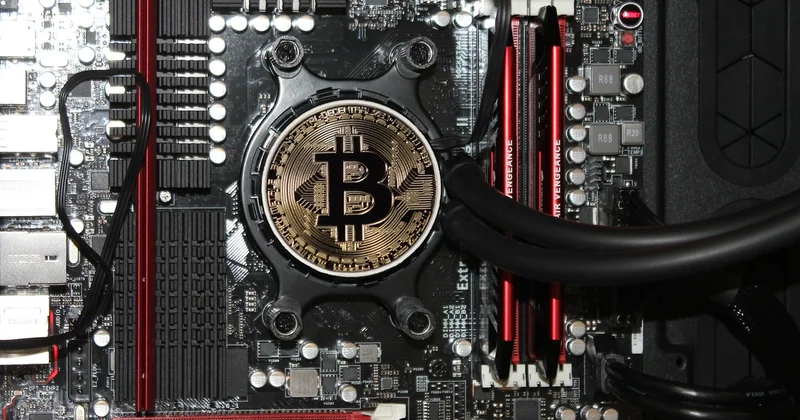
AIOs (all-in-one liquid coolers) move heat to a radiator at the case edge. They look cleaner, often run quieter under load on high-power chips, and give you more room around the CPU socket — handy for tall RAM or a cramped board. What they add is a pump, tubing, and a small chance of a leak.
| Factor | Tower air cooler | AIO liquid cooler |
|---|---|---|
| Typical price for the tier | Modest | Noticeably higher, especially 280/360 mm |
| Handles 65-120 W CPU | Easily | Easily, but overkill |
| Handles 200-300 W CPU | Only the largest models | Yes, with a 280 mm or larger radiator |
| Noise under load | Good, fan ramp audible | Good, pump hum can be present |
| Failure modes | Fan dies — replace it | Pump dies, rarely a leak |
| Installation fuss | Low | Higher (radiator, tubing, orientation) |
| Case fit constraints | Height, RAM clearance | Radiator mount points, tube routing |
Which brand cooler is No. 1?
There is no single number-one brand, and anyone telling you otherwise is selling something. What matters is the specific model, not the logo. Noctua and be quiet! are consistently strong for air. Arctic, Corsair, NZXT, Lian Li and DeepCool all make good AIOs, and the differences between their mid-tier units are smaller than the marketing suggests. My honest advice: pick by reviewed performance on your CPU tier and by fit, then by price. A famous brand's cheap model is still a cheap model.
Does a CPU cooler boost FPS?
No, a cooler does not directly raise FPS. It cannot make your CPU compute faster than its design allows. What it does is keep the chip out of thermal throttling — and when a CPU throttles, you lose clock speed, which shows up as stutter, dips, and inconsistent frame times. If your current cooler is letting the CPU hit its thermal limit, a better one will recover the performance you were already paying for. If your chip is running cool and comfortable, a bigger cooler changes nothing on screen.
That distinction matters when you're budgeting a build. Spend on the cooler to protect stability, not to chase frames.
Figuring out what you already have
If you're upgrading rather than building fresh, you may not know what's in the box. Two reliable ways to check.
Look at it. Power down, open the side panel. A tower of metal fins with a fan clipped to it is air. A block sitting on the CPU with two tubes running to a radiator at the case edge is an AIO. The block often has a brand name on it.
Ask the software. Monitoring tools like HWiNFO, HWMonitor, or your motherboard vendor's utility will show fan and pump headers, sometimes with labels. If you see a reading under a "pump" or "AIO" header, you've got liquid. If it's just CPU fan and case fans, you're on air. It's not always neatly labelled, but it's a start.
How risky is AIO cooling, really?
Less dramatic than the horror stories suggest, more real than the marketing admits. A leak is genuinely rare — I've run AIOs for years without one. But it's not zero, and when it happens it can take a motherboard or GPU with it. The more common failure is the pump, which quietly weakens and eventually stops, usually after a few years of use. That's why I'd treat an AIO as a component with a lifespan, not a forever part.
Practical mitigation: mount the radiator so the pump isn't the highest point in the loop (air collects there and shortens pump life), keep an eye on pump RPM in monitoring software, and be prepared to replace the unit after roughly 3-5 years of heavy use. Air cooling sidesteps this entirely — a fan is cheap to swap.
What actually matters in the end
Once you've matched cooler capacity to your CPU's real power draw, checked height and RAM clearance, and picked a form factor you're comfortable maintaining, you're done. The rest is noise. I'd rather see a mid-range build with a good tower cooler and clean airflow than a flashy 360 mm AIO squeezed into a case with no intake fans, because the second build will run hotter despite spending more.
So here's the question I'd leave you with: are you buying a cooler to solve a heat problem, or to solve a looks problem? Both are legitimate. Just know which one you're doing, because only one of them will show up in your temperatures.