Thirty-two decibels. That's the noise floor of my office at 2 a.m., when the traffic dies down and the fridge compressor finally shuts off. It's also the number I kept chasing every time I rebuilt my main machine, because once you hear your own build in a genuinely quiet room, you can't unhear it.
Building a silent PC isn't about buying the most expensive cooler on the shelf. I learned that the hard way after spending €340 on a premium 360 mm AIO that ended up louder than the €60 air cooler it replaced. The pump whine alone sat at a frequency my ears locked onto instantly. So let's talk about what actually works.
Key Takeaways
- Noise comes from moving air and spinning motors, not from component count. Fewer, larger, slower fans beat more, smaller, faster ones every time.
- Target under 30 dB(A) at idle and under 35 dB(A) under load, measured at 50 cm from the front panel. Above 40 dB(A), most people stop calling a build "quiet."
- Fan curves matter more than fan specs. A mediocre fan with a well-tuned curve will beat a top-tier fan running a lazy default profile.
- The case is the component people skimp on and then blame everything else for.
- Measure before you swap parts. I've seen people replace three coolers when the real culprit was a vibrating hard drive cage.
Why your PC is loud (and it's probably not the fans you think)
Most people assume noise scales with fan count. It doesn't. It scales with air velocity and turbulence, and both of those are symptoms of restriction.
Here's what I mean. If your case has a solid front panel with a thin strip of mesh on the side, every fan behind it has to work harder to pull the same volume of air. That's restriction. The fan spins faster, the air whistles through the gaps, and you get a high-pitched whine that no fan curve will fix.
The three real sources of noise
When I diagnose a loud build, I isolate in this order:
- Airflow restriction — cramped intakes, dust filters packed with lint, radiators sandwiched against solid panels
- Mechanical vibration — hard drives, pump motors, fans mounted without rubber isolation, loose side panels that resonate
- Electrical noise — coil whine from the GPU or PSU, which is a completely different problem and no cooler will solve it
That third one catches people off guard. I once spent an evening convinced my new fans were defective, only to realize the buzzing was coming from the graphics card under a specific load. Different fix entirely.
Start with the case and airflow, not the cooler
If you take one thing from this article: the case decides how quiet your build can ever be. Everything downstream is damage control.
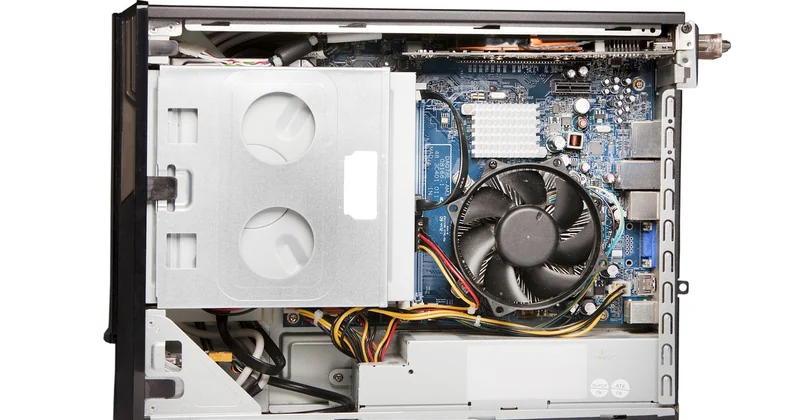
What you want is a case with mesh or perforated panels on the intake side, enough internal volume that air moves slowly, and mounting points spaced far enough apart that intake and exhaust don't fight each other. Tight, sealed "silent" cases from a decade ago were a trap — they muffled noise by strangling airflow, which just made the fans spin harder.
Positive pressure is your friend
Run slightly more intake than exhaust. This sounds counterintuitive if you've read a dozen forum arguments, but in practice it gives you two wins: dust gets pushed out through the gaps rather than sucked in through them (so your filters stay clean longer), and your intake fans can run at lower RPM because they're not competing with strong exhaust pull.
My current setup runs three 140 mm intakes at around 700 RPM and two 120 mm exhausts at 600 RPM. Barely audible from a meter away. Six years ago I was running six fans at 1,400 RPM and wondering why it sounded like a hairdryer.
Fan curves: where quiet builds are won or lost
Default BIOS fan curves are designed for one thing — keeping components cool enough to avoid warranty claims. They are almost never tuned for silence.
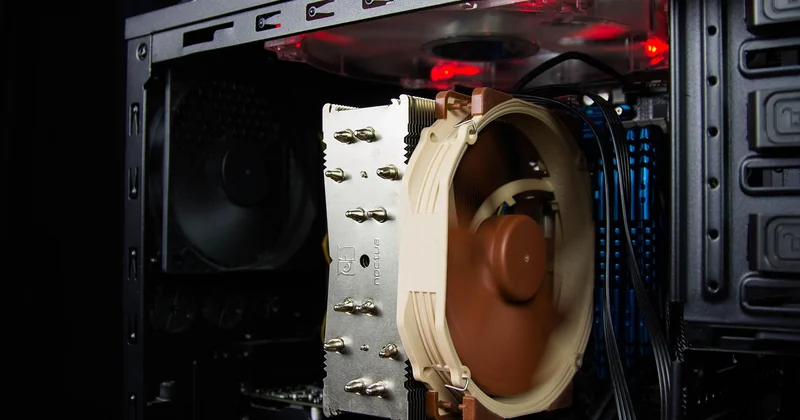
The single most effective change you can make is flattening the low end. Most CPUs and GPUs can sit comfortably at 60–70°C under sustained load. That's well within spec. So why is your fan ramping to 100% the moment the temperature crosses 65°C?
How to build a quiet curve
- Set the fan to a fixed 20–30% PWM below 60°C. It won't move much air, and that's fine — you're not generating much heat at idle.
- Add a 5–8 second ramp delay so brief temperature spikes don't trigger audible jumps.
- Cap the maximum at 70–80% unless you're genuinely thermal-throttling. The last 20% of fan speed buys you maybe 2°C and doubles the noise.
One thing nobody tells you: fan ramp behavior is more annoying than steady noise. A constant 32 dB hum disappears into the background after ten minutes. A fan that oscillates between 28 and 38 dB every few seconds will drive you insane within an hour.
Cooler and component choices that actually help
| Component | What to prioritize | What to avoid |
|---|---|---|
| CPU cooler | Large tower air cooler with a slow 140 mm fan | Small AIOs with high-RPM pumps |
| GPU | Card with a large heatsink and zero-RPM idle mode | Blower-style coolers, aggressive factory overclocks |
| PSU | 80 Plus Platinum or Titanium with fanless mode under 40% load | Cheap units with always-on fans and coil whine |
| Storage | NVMe SSDs, no moving parts | 7200 RPM mechanical drives in rigid cages |
| Case fans | 140 mm or larger, fluid dynamic bearings | Small high-RPM fans, old sleeve bearings |
Notice the pattern? Everything points toward larger, slower, fewer moving parts. A 140 mm fan pushing the same air volume as a 92 mm fan will do it at roughly two-thirds the RPM and significantly less noise.
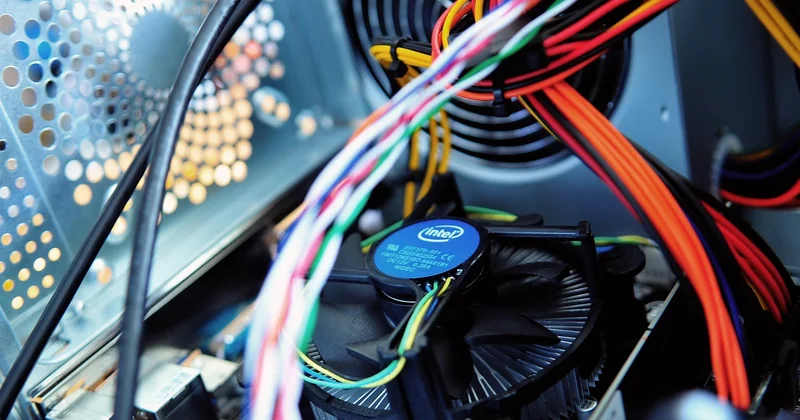
The air cooler argument
I'll say it plainly: for most builds under 150 W of CPU power, a big air cooler beats a liquid cooler on noise. No pump. No tubing resonance. No risk of a failing pump at 3 a.m. The only downside is physical size, and if that's a dealbreaker for your case, you've got a case problem, not a cooler problem.
How to actually measure whether you've succeeded
You can't fix what you can't hear — and you can't hear what you don't measure properly.
Buy a cheap sound level meter (you don't need lab-grade). Set it to A-weighting, which approximates how human hearing responds to different frequencies. Place it 50 cm from the front of your case, at roughly the height of your ears when seated.
Now here's the important part: measure at idle, then under sustained load. And measure each noise source separately if you can — unplug the GPU fans, stop the case fans one at a time, and listen for what changes. I've found drives and pumps this way more than once.
What if my room itself is the problem?
Hard floors, bare walls and glass desks reflect and amplify sound. A rug, curtains and a wooden desk can knock several decibels off what you actually hear. I moved my build from a tiled room to a carpeted one and the perceived noise dropped noticeably — same hardware, different acoustics.
The uncomfortable truth about silent builds
You can throw money at this problem and still fail. I've watched people buy the most expensive fans on the market and mount them against a solid panel with a three-millimeter gap. That's not a cooling problem. That's a design problem.
The builds that end up genuinely quiet share a boring trait: every component was chosen to work with the others, not in isolation. The case breathes. The fans run slow. The curve is flat. The storage doesn't spin.
And honestly? The last time I rebuilt, the biggest noise reduction came from a €12 rubber gasket kit and twenty minutes of repositioning cables away from fan intakes. Not glamorous. Just effective.
So before you order anything new, sit in your room at night with the machine running and just listen. Figure out what's actually making the sound. You might be surprised how little you need to replace once you know.