SSD vs HDD: which drive actually fits your workflow?
Last month a friend called me in a panic. Her laptop had frozen mid-render, and the IT guy at her office told her the fix was simple: swap the hard drive for an SSD. She wanted a second opinion before spending the money.
I asked one question. "What's actually on the drive?"
Two hundred gigabytes of raw video, she said. Plus the operating system.
That answer changed my recommendation entirely. An SSD would have made her laptop feel new again, but it wouldn't hold her footage. She needed both. And that's the honest truth most spec sheets bury: there is no universal winner in the SSD vs HDD debate — only a match, or a mismatch, between a drive and what you're asking it to do.
I've been building, upgrading, and occasionally destroying storage setups for years now. I've watched a spinning drive die after a single drop from a coffee table. I've seen a cheap SSD throttle itself into a crawl during a 40-gigabyte file transfer. Both technologies have saved my work and both have let me down. This is what I've learned about picking between them.
Key takeaways
- Speed favors SSD, capacity-per-dollar favors HDD — that gap hasn't closed, even in 2026.
- An SSD makes an old machine feel new; an HDD makes a new machine hold more for less.
- For a laptop that travels, an SSD wins on shock resistance alone.
- For cold archives and media servers, an HDD still wins on cost per terabyte.
- The best setups use both: SSD for the operating system and active projects, HDD for bulk storage.
How these two drives actually work
The technology difference explains every practical consequence that follows, so it's worth thirty seconds of your attention.
SSD: flash memory, no moving parts
A solid-state drive stores data in NAND flash memory chips. Nothing spins. Nothing seeks. When you open a file, the drive reads it from an electrical grid, which is why a good SSD boots an operating system in seconds rather than minutes.
The trade-off is that flash memory has a limited number of write cycles per cell. This sounds alarming until you realize that most modern drives are rated well beyond what a typical user writes in a decade. The catch is that it isn't the same for all SSDs — a TLC drive handles sustained writes differently than a cheaper QLC model, and that difference shows up the moment you copy a large folder.
HDD: magnetic platters, mechanical precision
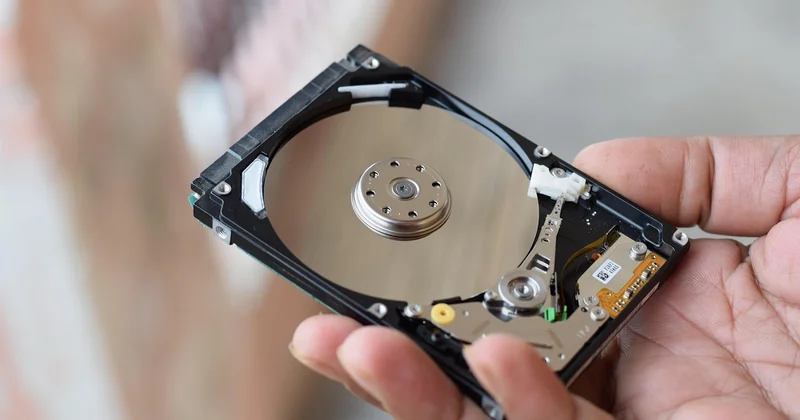
A hard disk drive writes data onto spinning magnetic platters using a read/write head that floats a few nanometers above the surface. When it works, it's a marvel of engineering. When you knock it while it's spinning, it's a very expensive paperweight.
I learned that lesson the hard way. A portable HDD slipped off my desk while it was copying a backup. The drive clicked twice, then went silent. Roughly two terabytes of footage, gone — because a mechanical arm and a spinning disk don't tolerate interruptions.
An SSD in the same situation wouldn't have blinked. There's nothing to crash into anything else.
Should I buy SSD or HDD for storage?
The honest answer depends on one word: what kind of storage. If you mean the drive that runs your operating system and apps, buy an SSD. If you mean a place to dump old projects, family photos, and media archives, an HDD will save you real money.
Here's how I'd frame the split for most people I talk to:
- The drive your computer boots from — SSD, always. There is no scenario where a spinning platter makes a modern machine feel better.
- External drives for active work — SSD if you move files constantly, HDD if you mostly read.
- Long-term archives you touch twice a year — HDD, without much debate.
- Anything that lives in a backpack — SSD, because physics doesn't negotiate.
The cost-per-terabyte number that decides it
Price per gigabyte is where the HDD still holds its ground. Per terabyte, a mechanical drive typically costs a fraction of what an equivalent SSD runs — often three to five times less. That gap has narrowed over the years, but it hasn't closed, and it probably won't anytime soon.
If you need eight terabytes of cold storage, that math is decisive. If you need five hundred gigabytes of fast storage, it isn't even close in the other direction.
| Factor | SSD | HDD |
|---|---|---|
| Speed (sequential read) | Very high, often thousands of MB/s on NVMe | Comparatively slow, typically around 100–200 MB/s |
| Cost per terabyte | Higher | Much lower |
| Shock resistance | Excellent — no moving parts | Poor — vulnerable while spinning |
| Noise | Silent | Audible clicks and hum |
| Power draw | Lower, better for laptop battery life | Higher |
| Best role | OS, apps, active projects | Archives, backups, media libraries |
Is HDD still worth it in 2026?
Yes — but only for the jobs it was always good at, and nothing more.
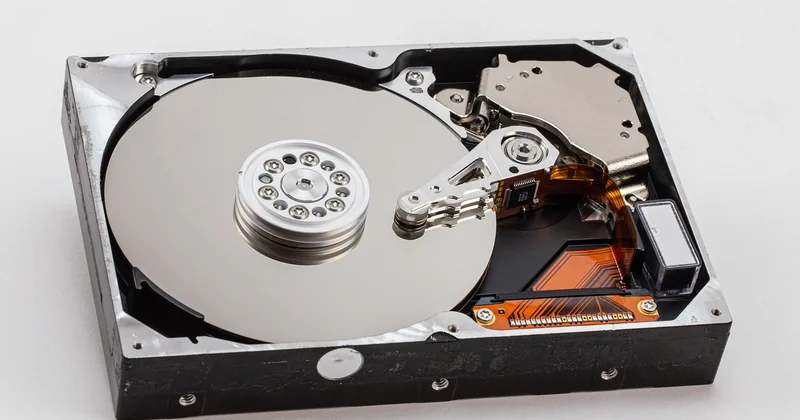
I keep two mechanical drives in my home setup. One holds a media library I stream from. The other is a cold backup that gets powered on once a month. Both have been running for years. Neither would be my first choice for anything I open daily.
The HDD's relevance in 2026 comes down to volume economics. When you need to store ten or twenty terabytes without taking out a loan, spinning disks remain the only realistic option. Cloud storage exists, but for large archives the monthly subscription often costs more than a one-time drive purchase within a couple of years.
Where the HDD has genuinely lost ground is everywhere else. As a boot drive, it's obsolete. As a gaming drive, it's a bottleneck you'll feel on every level load. As a laptop drive, it's a liability. The technology isn't dead — it's simply been pushed into a narrower lane, and that lane is fine.
SSD vs HDD lifespan: which lasts longer?
This is where the popular wisdom gets muddled. An SSD has no moving parts to wear out, but its flash cells endure a finite number of writes. An HDD has moving parts, but if it survives its first few months, it often runs for many years.
In practice, both drives tend to outlive the machine they're installed in. I've retired working HDDs after eight years of service. I've also had an entry-level SSD fail within two years because it was a cheap QLC model doing heavy writes. Lifespan isn't a category win — it's a quality win. A good drive of either type lasts; a bad one of either type doesn't.
Is it better to have 1TB HDD or 512GB SSD?
For a computer you use every day, the 512GB SSD wins — and it isn't particularly close.
The reason is simple. You feel capacity when you run out of space, which happens rarely once you've sorted your files. You feel speed every single time you wake the machine, open an app, or load a game. A slow drive taxes you continuously; a smaller drive inconveniences you occasionally.
Unless you genuinely need to store more than 512GB of active files locally, the SSD is the better single purchase. If you need both speed and space, add an external drive later rather than compromising on the drive that runs your system.
Is a 256GB SSD better than a 1TB hard drive?
Generally, yes — for the same reason. A 256GB SSD transforms how a machine feels, and most users fit their operating system, applications, and working files comfortably within that space. Where it gets tight is when you're storing large media, games, or video projects.
My rule of thumb: if you're bumping against 256GB regularly, don't downgrade to a bigger spinning disk. Keep the SSD for the system and buy a cheap external HDD for the overflow. You'll get the speed where it matters and the space where it's cheap.
SSD or HDD by use case
The category question is less useful than the scenario question. Here's how I'd answer the cases that come up most often.
For gaming
SSD, without hesitation. Modern games stream assets constantly, and a mechanical drive turns that into visible stutter and long load screens. I moved a single large game from an HDD to an NVMe drive a while back and the difference in load times was dramatic enough that I stopped using the HDD for games entirely.
For a laptop
SSD. Not only for speed, but for battery life, silence, and the fact that a laptop gets moved around. A spinning disk in a portable machine is a gamble you don't need to take.
For external and long-term storage
This is the HDD's home turf. For backups, archives, and media libraries that mostly get read rather than written, a mechanical external drive delivers enormous capacity for modest money. Just handle it carefully — remember my desk incident.
One nuance worth adding: for long-term storage specifically, both drive types can lose data if left unpowered for very long periods. The practical answer is to power your backup drives on occasionally and verify the contents still read correctly. Redundancy beats any single drive.
The verdict I actually give
When someone asks me to pick one drive, I usually refuse and offer two instead. An SSD for the operating system and anything you touch daily. An HDD for the bulk storage you don't. That combination solves the speed problem and the capacity problem at the same time, and it's the setup I've run on my own machines for years.
The single-drive answer only makes sense when you tell me what the machine is for. A video editor's laptop and a media server in a closet have almost nothing in common, even though both are "storage."
So before you buy, ask yourself the same question I asked my friend: what's actually going on the drive? If the answer is "my whole system and everything I do," buy an SSD and accept the smaller capacity. If the answer is "the stuff I don't open much anymore," buy an HDD and spend the savings on something else.
And if the answer is "both" — well, now you know what I'd do. Two drives, one machine, no compromise. The only thing left is remembering to back them up.