Stand in your kitchen, open your laptop, and watch the Wi-Fi bars drop from full to one. Walk back toward the living room and they climb again. Nothing moved. Nothing broke. The signal simply hit a wall — literally — and gave up.
I've mapped this exact problem in three different apartments, and in every single one the owner had already bought the wrong fix before I showed up. A repeater here. A "signal booster" gadget there. One guy had stacked two extenders in a hallway like he was building a relay tower out of frustration. His bedroom still sat at 8 Mbps.
So let's do this properly. Boosting your Wi-Fi and killing dead zones isn't about buying more hardware. It's about understanding why the signal dies in that one specific corner, then choosing the cheapest thing that actually solves it.
Key Takeaways
- Wi-Fi dies from three causes only: distance, physical obstruction, and interference. Diagnose which one before spending a cent.
- Higher frequencies carry more speed but punch through walls far worse — 5 GHz can lose 15–20 dB per interior wall, which is often the whole signal.
- Extenders repeat a signal; mesh systems replace it. In most homes with more than one dead zone, mesh wins.
- Placement beats hardware. Moving a router 1.5 m off the floor and out of a cabinet fixes more dead zones than an extender ever will.
- Powerline adapters are the sleeper solution for thick concrete and rental apartments where you can't run cable.
- Free fixes exist and they work — channel changes and router repositioning cost nothing and often recover 30–50% of lost throughput.
How to boost your Wi-Fi signal so no room turns into a dead zone
Here's the thing nobody tells you at the store: a dead zone is a symptom, not a disease. You can't fix symptoms by throwing routers at them. You have to find the cause.
And there are really only three causes. Distance — the signal has simply spread too thin by the time it arrives. Obstruction — something solid ate it on the way. Interference — a neighbor, a microwave, or your own devices are drowning it out. Most homes have all three at once, which is why generic advice fails.
Measure before you buy anything
I made this mistake early on. I bought a $90 extender for a dead bedroom before checking whether the router was even the problem. It wasn't — the router sat inside a metal media cabinet. Fixing that one placement issue took the bedroom from 12 Mbps to over 100 Mbps. The extender went back in the box.
So do this first. Walk through your home with your phone and run a speed test standing in each room. Write the numbers down. Not on your phone — on paper, so you actually see the pattern. You'll usually spot a clear gradient: strong near the router, dropping steadily as you move away. If instead you see strong, strong, dead, strong — that's an obstruction, not distance. Different fix entirely.
For a proper picture, heatmap apps exist that render your signal strength as a color map across a floor plan. You walk around the house with your phone and the software paints the weak spots red. It takes maybe 15 minutes and it removes all guesswork. Worth it if you're about to spend real money.
The physics you can't argue with
Wi-Fi is radio. Radio loses energy as it travels and loses a lot more when it hits something dense. The band you're using matters enormously here, and this is where most people get tripped up.
Your 2.4 GHz band has a wavelength of roughly 12 cm. Your 5 GHz band is about 6 cm. Shorter waves carry more data per second but get absorbed and reflected far more aggressively by solid objects. That's the entire trade-off in one sentence.
| Material | Signal loss (2.4 GHz) | Signal loss (5 GHz) |
|---|---|---|
| Drywall / plasterboard | 2–4 dB | 5–8 dB |
| Brick (single layer) | 6–10 dB | 12–18 dB |
| Reinforced concrete | 12–20 dB | 20–30 dB |
| Glass with metal coating | 8–15 dB | 15–25 dB |
| Metal / foil-backed insulation | 20+ dB | 25+ dB |
A single reinforced concrete wall can knock 20–30 dB off a 5 GHz signal. To put that in perspective, every 3 dB is a halving of power. A 30 dB loss means your signal arrives at roughly one-thousandth of its original strength. No wonder the bedroom gets nothing.
Water matters too, which surprises people. Aquariums, large houseplants, and even a full bathtub absorb 2.4 GHz noticeably. And mirrors — the metallic backing on a cheap mirror is basically a wall to Wi-Fi.
Free fixes: boost your Wi-Fi signal without buying a booster
Look, before you spend money, spend twenty minutes. This order matters — I've watched people skip straight to hardware and then wonder why their new mesh system underperforms.

Reposition the router
Central location, off the floor, out in the open. That's it. That's the whole rule. Routers radiate outward and slightly downward, so a router on the floor loses a chunk of its signal to the ground. A router in a closet loses even more.
Get it roughly 1.5 to 2 meters off the ground and as close to the center of your living space as your internet entry point allows. If your modem connection forces the router into a corner, that's a real constraint — we'll handle it below.
- Keep it away from the microwave (2.4 GHz interference is real and brutal)
- Not behind the TV — screens and metal frames block signal
- Antennas vertical for single-floor, angled for multi-floor
- Away from cordless phone bases and baby monitors
Change your channel
In apartment buildings, everyone's router is shouting on the same 2.4 GHz channels. Yours gets drowned out. Switching to a less crowded channel can recover a surprising amount of throughput — I've measured improvements from 15 to 60 Mbps just from this, in a dense building.
You can scan for congested channels with a free analyzer app, then log into your router and manually set the channel. On 5 GHz, congestion is less of an issue and you should generally leave it on auto.
Update the firmware and drop legacy devices
Old firmware can genuinely degrade performance. Check every six months or so. And if you have ancient devices clinging to the network at old standards, they can drag the whole band down by forcing slower negotiation. That smart plug from 2014? It might be costing you.
Boosting through walls: the hardware options, compared honestly
When free fixes aren't enough — thick walls, long distances, multiple floors — you need hardware. But which hardware depends entirely on your situation, and the marketing doesn't help you choose.
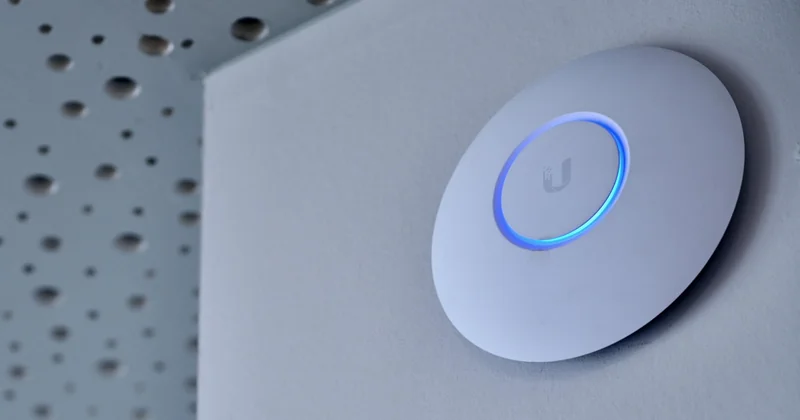
Extenders and repeaters
An extender listens to your existing signal and re-broadcasts it. Simple, cheap, and it has one fatal flaw: it repeats whatever it receives, including a weak signal. If you place it where the signal is already marginal, it broadcasts a marginal signal. Garbage in, garbage out.
Place it at the edge of your good coverage — roughly halfway between router and dead zone — and it works fine. Place it in the dead zone itself and you've wasted your money. I see this error constantly.
Mesh systems
Mesh replaces your single router with several nodes that talk to each other and hand your devices off seamlessly as you move. The nodes route traffic through the best available path, so a node near a dead zone pulls signal from whichever node hears it best.
Cost is the downside. A decent three-node system runs significantly more than an extender. But if you have more than one dead zone, mesh almost always beats stacking extenders — and you get one network name instead of five confusing ones.
Powerline adapters
This is the one people forget, and it's the savior for concrete buildings and rentals. Powerline adapters send your network signal through your home's electrical wiring. Plug one in near the router, one in the dead room, done.
Performance depends on your wiring quality and whether the two outlets share a circuit — across a breaker panel it degrades badly. But in a thick-walled apartment where Wi-Fi simply cannot pass, it's often the only thing that works. And it needs no drilling, no cables across the floor.
Which option fits your situation
- One dead zone, decent signal elsewhere — a well-placed extender is enough.
- Multiple dead zones or a large home — mesh system.
- Concrete walls or a rental you can't modify — powerline adapters.
- Everything is weak everywhere — your router itself is the problem; replace it before adding anything.
Answers to the questions I get asked most
How to boost Wi-Fi signal through walls
You can't make a signal pass through concrete or metal — you can only route around it or relay past it. The practical move is to switch your devices to the 2.4 GHz band when they're behind thick walls, because its longer wavelength penetrates better even though it's slower. Beyond that, place a mesh node or powerline adapter on the far side of the wall so the signal crosses only once, at close range, rather than fighting the whole distance.

How to get strong Wi-Fi signal in every room
Honestly, with one router, you usually can't — not in a home with more than a couple of rooms and any solid walls. Getting even coverage everywhere is the entire reason mesh systems exist. The realistic path is: fix placement and channel first, then add nodes so no single device is more than one wall away from a signal source.
Best Wi-Fi extender for dead spots
I won't name a brand, because the right choice depends on your router and budget. But the rule that matters more than any brand: pick one that supports the same bands as your router, and place it correctly. A cheap extender placed well outperforms an expensive one placed badly. Every time.
Do Wi-Fi boosters actually work?
The word "booster" is mostly marketing. Real boosters amplify a signal but also amplify the noise, so they rarely deliver the gains the box promises. What actually works is relocation, channel changes, extenders, mesh, or powerline. Skip the $20 "signal booster" dongles.
Will a new router alone fix my dead zones?
Only if the old router is genuinely failing. If your dead zones come from distance or walls, a newer router with the same placement will have the same dead zones. Fix the geometry before replacing the box.
The room you forgot to check
Here's what stays with me. In every home I've helped with, the person had already accepted that one room was just "the bad room." A permanent dead zone. They'd stopped noticing it.
That acceptance is the actual problem. Wi-Fi isn't magic and it isn't random — it's physics, and physics can be worked around. Measure the gradient, find whether it's distance, obstruction, or interference, and then fix that specific thing. Sometimes it costs nothing. Sometimes it costs the price of a mesh node.
But start with the free twenty minutes. Because the fix might just be moving a router you already own half a meter to the left — and there's something deeply satisfying about beating a $200 purchase with a step stool.